How to Find K-12 District Emergency Procurement Last 90 Days
.jpg)
Emergency procurement in a K–12 school district is a specialized purchasing mechanism used when an unforeseen event requires the district to obtain goods, services, or repairs without going through the full standard procurement process.
Situations such as
- flooding,
- major equipment breakdowns,
- extensive building damage,
- cybersecurity incidents, or
- urgent security concerns
may create circumstances in which waiting several weeks for a conventional competitive solicitation could put students, employees, facilities, or educational operations at risk. The primary purpose of emergency procurement is therefore speed without eliminating accountability.
But the question is, how does a vendor providing any of these emergency services to K-12 school districts find such opportunities? The answer is, you can find these emergency procurement opportunities with AI tools like Pursuit.us or manually with scattered portals like Sourcewell, OMNIA Partners Public Sector, and statewide portals like Texas Multiple Award Schedule (TXMAS), California Multiple Award Schedules (CMAS).
Let’s explore both of these ways in detail.
Find K-12 District Emergency Procurement: 2 Methods
Method 1: With AI Tools like Pursuit.us
AI tools like Pursuit.us use patented AI technology to find all these types of emergency procurement contracts for vendors.
1) emergency repairs/maintenance,
2) specialized equipment and parts,
3) IT/cybersecurity,
4) emergency facilities/construction, and
5) specialized professional/technical
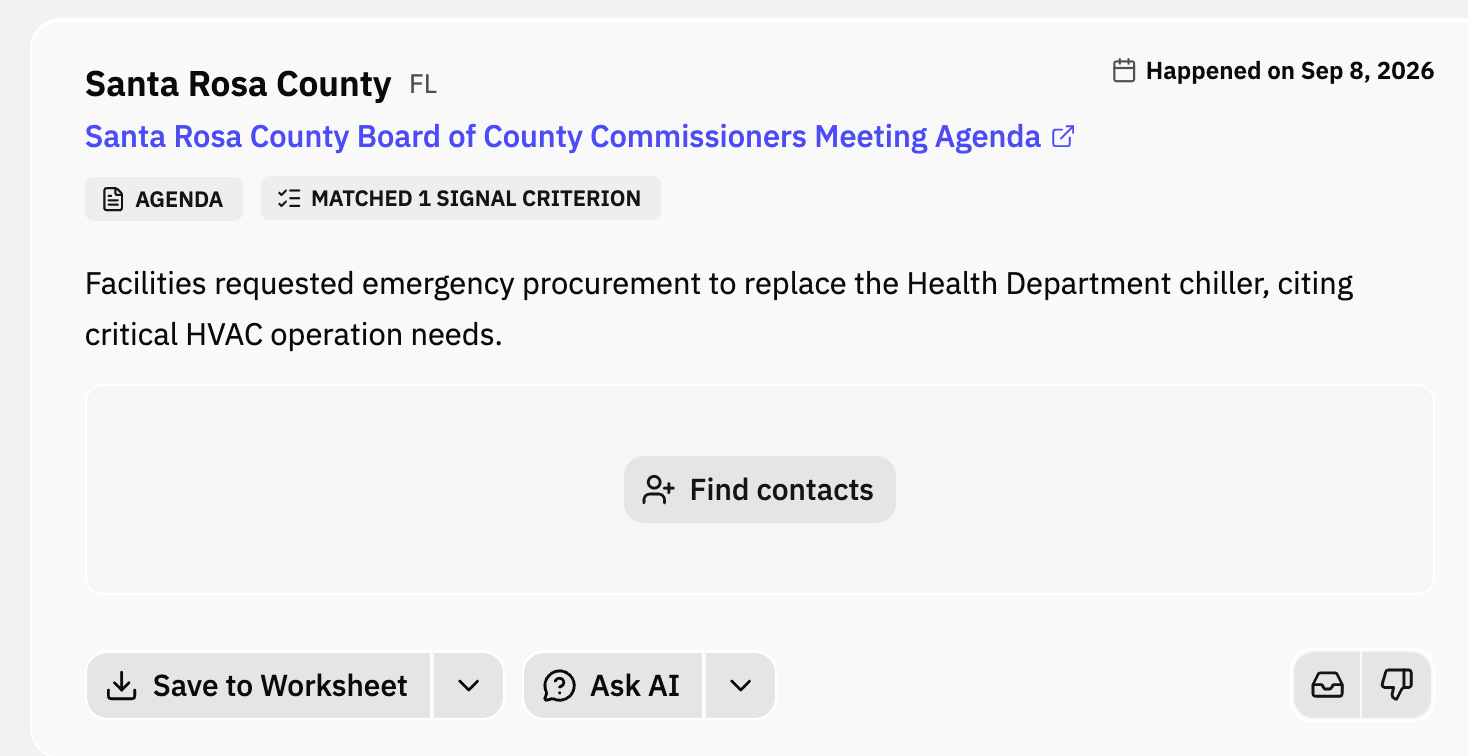
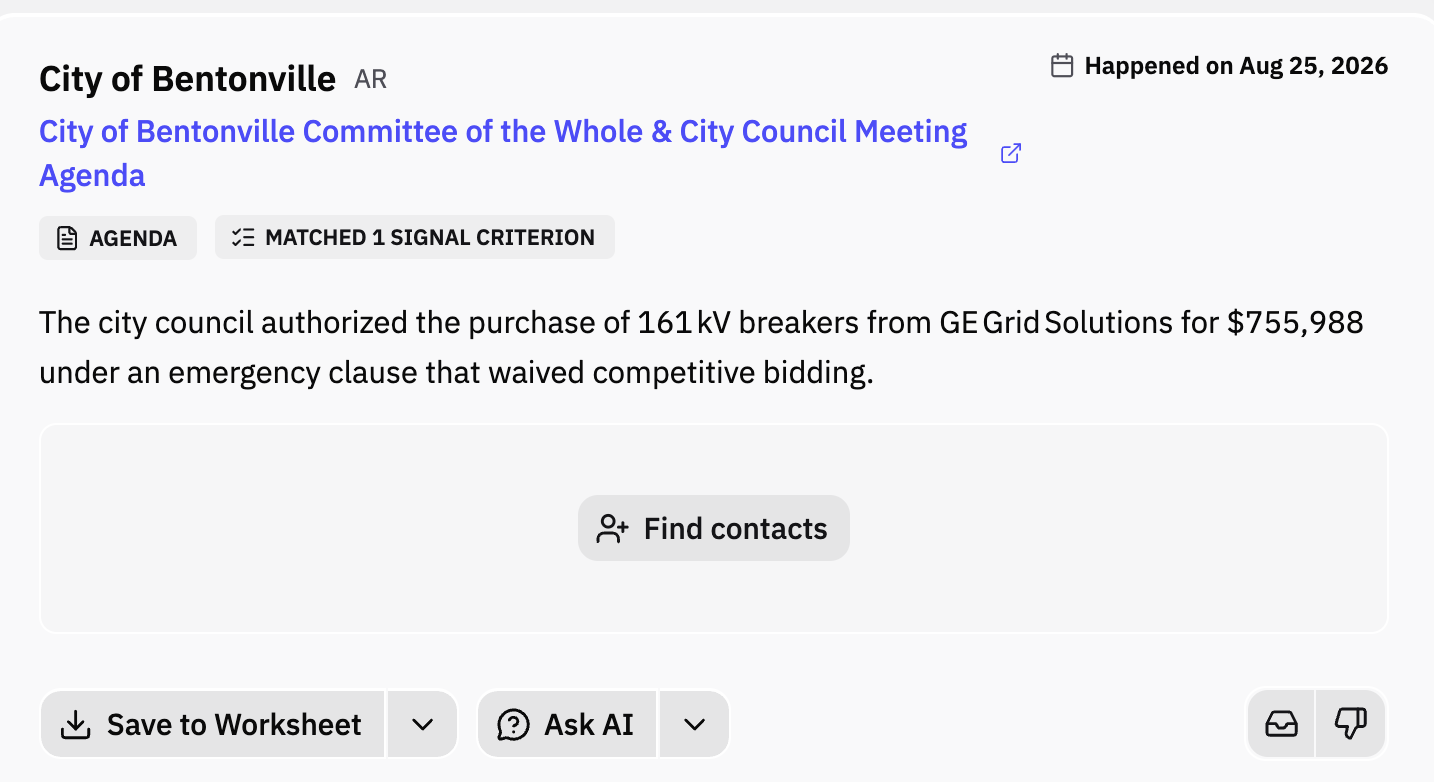
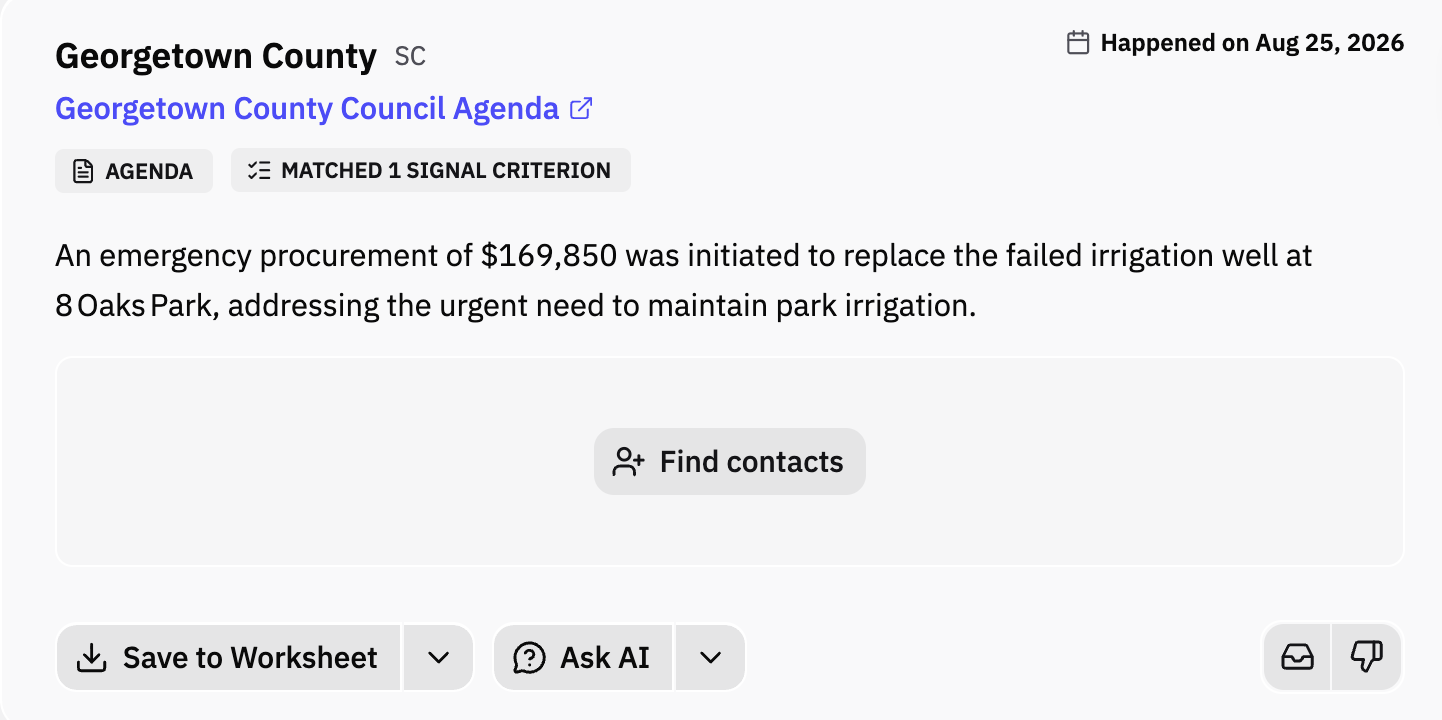
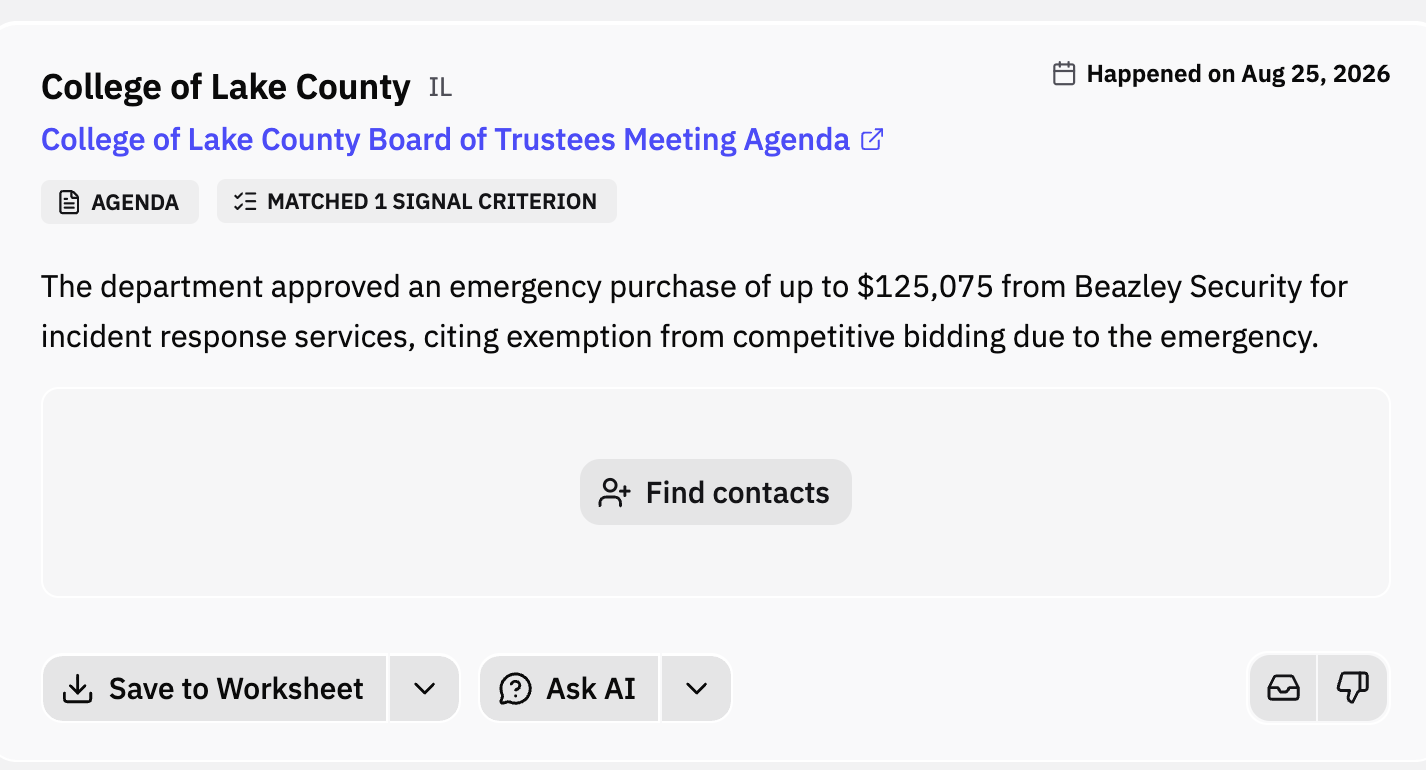
The screenshots below come directly from Pursuit, showing how these K-12 emergency procurement signals appear in the platform.
How to find government emergency procurement events for the last 90 days using AI
Log in to your AI tool and set up your vendor profile, product, prompts, and territories.
We're using Pursuit as the example here because it's the easiest to set up; two steps and you're running.
- Select your products. Products define what you sell, and admins configure them under Settings → Products. This is where you write the AI prompt that surfaces emergency procurement activity for your product over the last 90 days, or any timeframe you need. You can also add competitors here to track their every move.
- Define your territory. Choose the states, regions, or areas you cover. Radar prioritizes signals from agencies inside that territory.
That's it. Your emergency procurement data now shows up in three places: Radar in the left menu bar, the Inbox tab, and your daily email notifications.
========================
From the above method, you can surface emergency procurement activity across K-12 school districts from the last 90 days or any timeframe you choose with the help of AI. Coverage spans all SLED entities, including schools, universities, districts, state agencies, counties, municipalities, and local agencies of every type.
Pursuit does this by:
- Scanning millions of government documents and meeting minutes
- Tracking budgets and grant activity
- Monitoring live meetings and video recordings
- Filing and analyzing FOIA requests
Method 2: Manually with Buyers’ Portals
If you'd rather work without an AI tool, the manual route means monitoring the places districts actually post emergency work. There is no single site that carries all of it.
Emergency purchases surface across three broad categories of portals:
- cooperative purchasing networks that districts can buy from without a fresh solicitation,
- pre-qualified vendor lists and job order contracts that districts pull from when they need work started immediately, and
- the standard e-procurement platforms where districts post their own solicitations.
Each category reaches a different slice of the market and carries its own entry requirements. The table below breaks down where to look and what stands in the way.
Why the manual approach is hard to sustain
The portals above work, but running them by hand has real costs.
The work never consolidates. A vendor covering three states may need accounts on a dozen portals, each with its own login, notification settings, and document formats. Nothing rolls up into one view, so coverage depends on how many tabs someone can check in a day.
Emergency timelines punish slow discovery. A conventional solicitation gives you weeks. An emergency posting may give you days, sometimes less. If a district posts on a Friday and you check that portal on Monday, the window has already narrowed.
Posting is inconsistent. Emergency procurement exists precisely so districts can move without the standard process. That means some of it never reaches a portal at all. It gets approved in a board meeting, recorded in the minutes, and handed to a vendor already on file. Portal monitoring misses this category entirely.
Access is gated before you can compete. Cooperative contracts, prequalification, and JOC awards all require their own upfront solicitation and paperwork. By the time an emergency hits, the eligibility question is already settled, and it was settled months earlier.
Incumbents have a head start. Districts under pressure tend to call vendors they have worked with before. Showing up through a portal at the moment of the emergency puts you behind whoever is already on the district's list.
Signals arrive too late to be useful. By the time an emergency need becomes a formal posting, the district has already scoped the problem and often shortlisted who can solve it. The useful moment was earlier, when the damage was reported, the budget was amended, or the item hit a board agenda.
That last point is the real gap between the two methods, and it's worth stating plainly: portals show you the request, while document and meeting monitoring shows you the need that produced it. That’s why using an AI-backed tool is always a better and more effective way of finding emergency procurement information for K-12 school districts, state and local agencies, counties, and townships.
Looking for K-12 School Districts’ Emergency Procurement Data? Pursuit Can Help
Portals show you the request. Pursuit shows you the need that produced it; the damage report, the budget amendment, the item that just hit a board agenda as soon as the need arises, earlier than any portals. That head start is the difference between competing for an emergency contract and finding out one was already awarded.
Book a Demo and see your territory's live emergency procurement signals in 20 minutes.
Identify buyers 6–18 months before RFP drops
170K+ SLED entities tracked 24/7 with AI
Auto-syncs deal signals to your CRM
Active buyer signals delivered daily on emails and Slack
Free Chrome extension for instant intel
Decision makers’ contact info with ready-to-use outreach drafts
Trusted by 200+ govtech teams
Never miss a government opportunity. Pursuit is the affordable B2G alerts platform with AI crawling, daily email alerts, a Slack bot and Chrome extension.
Read blog postWhich lead-capturing software is right for you? We break down 10 platforms across 10 different categories so you can find the one that fits your business.
Read blog postDiscover the top 12 B2G lead generation tools and platforms for 2026, covering opportunity discovery, compliance, proposal writing, lobbying, and CRM to help you win more government contracts.
Read blog post